

A golf cart battery usually gives you some warning before it fails. You may notice shorter range, slower acceleration, weaker performance on hills, or a charger that seems to run longer than usual.
Those symptoms don’t always mean the entire battery pack needs to be replaced. The problem could be one weak battery, a loose connection, corrosion, or an issue with the charger. A few basic checks can help you narrow it down.
This guide explains how to inspect and test both lead-acid and lithium golf cart batteries, along with the signs that it may be time for service or replacement. Let’s get started.
Before You Test Your Golf Cart Batteries
Before testing, identify whether your cart uses flooded lead acid, sealed lead acid, or lithium batteries. Each type requires a slightly different approach.
- Flooded lead acid batteries can be checked with a multimeter, hydrometer, and a manufacturer-approved load test.
- Sealed lead acid batteries should never be opened.
- Lithium batteries are generally checked using voltage readings, performance under load, and information available through a compatible battery monitor or manufacturer app.
Ionic lithium batteries include Bluetooth monitoring through the Ionic app.
Use extra caution when working around flooded lead-acid batteries. Wear safety glasses and protective gloves, and work in a well-ventilated area. These batteries contain sulfuric acid and can release hydrogen gas while charging, so keep sparks, flames, and cigarettes away.
Once you know which type of batteries you have, begin with a visual inspection of the batteries, cables, and connections.
Start With a Visual Inspection
Look over the batteries, cables, and terminals before connecting any testing equipment, since the right testing method depends on the battery type in your cart. A poor connection can cause many of the same symptoms as a weak battery, so these checks help assess battery health and spot potential issues before you test further.
Check the terminals for white, blue, or green corrosion. Make sure the cable connections are secure, but don’t overtighten them. Inspect the cables for fraying, cracked insulation, loose clamps, or rusted hardware.
A connection that becomes unusually warm while the cart is running may have too much resistance and should be inspected.
Flooded lead-acid batteries should also be checked for cracks, leaks, swelling, or damage around the vent caps. A strong sulfur smell can point to overheating or another serious problem, and excessive heat can be an early sign of a failing golf cart battery.
If a lithium battery is swollen, unusually hot, discolored, or gives off a burning smell, stop using it right away. If the battery has an app or monitor, check for alerts that may show the battery management system has stepped in to protect it. Don’t keep testing a battery that looks damaged.
Check Battery Voltage With a Multimeter or App
A multimeter can give you a general idea of whether a lead-acid battery is fully charged and help you find one that’s reading lower than the others in the pack. Lithium batteries can also be checked with a multimeter, but you may be able to view the voltage through a compatible battery app or monitor instead.
Fully charge the batteries with the correct charger before testing them. Turn off the cart and unplug the charger. For flooded lead-acid batteries, wait the amount of time recommended by the manufacturer before taking a reading. Testing too soon after charging can make the voltage appear higher than it really is.
To use a multimeter, set it to DC voltage mode. Plug the black lead into the COM port and the red lead into the port labeled V. Don’t use a port labeled A or 10A. Place the red probe on the positive terminal and the black probe on the negative terminal. Test each battery and write down the readings so you can compare them.
Golf carts may use several individual 6V, 8V, or 12V lead-acid batteries connected together to create a 36V or 48V system. Check the voltage printed on each battery, then compare your reading with the matching range below.
A fully charged battery should read slightly higher than its rated voltage:
- 6V battery: about 6.3 to 6.4 volts
- 8V battery: about 8.4 to 8.5 volts
- 12V battery: about 12.6 to 12.8 volts
The batteries in the pack should have similar readings. If one repeatedly reads lower than the others after a full charge, it may need further testing.
You can also test the voltage of the entire pack, but don’t rely on that number alone. A fully charged 36V lead acid pack may read around 38.2 volts, while a fully charged 48V pack may read around 50.9 volts. Exact readings can vary by battery model and temperature. Even if the total pack voltage looks normal, one battery may still be weaker than the rest.
Lithium battery voltage stays fairly consistent through much of the charge, so one reading may not show how much capacity the battery has lost or whether it’s performing normally. Compare the reading with the manufacturer’s specifications; a fully charged LiFePO4 battery usually reads 13.2V to 14.4V, and check any available battery monitor or app. A reading below 11.5V can suggest the battery needs replacement, but confirm that with the manufacturer’s guidance or app data. If your cart uses Ionic lithium batteries, you can view the voltage and other battery information directly through the Ionic app.
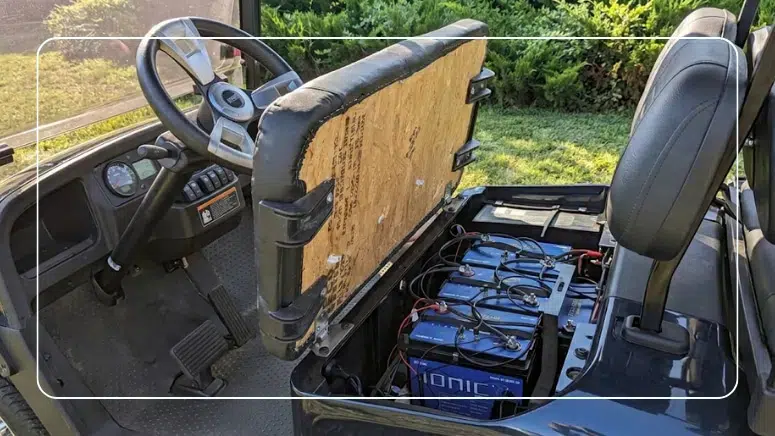
Lifting the seat gives you a clear look at the batteries, cables, and connections you’ll want to check before and during testing.
Test the Batteries Under Load
A battery may show a normal voltage while the cart is parked, but the way the battery performs under demand can be very different from how it looks at rest. Testing the batteries under load can reveal problems that a resting voltage check may miss.
The easiest way to check performance is to pay attention while driving. Does the cart lose power during acceleration, slow down more than usual on hills, or show a quickly dropping battery level? These signs may mean that one or more batteries aren’t holding up well under demand.
If the cart continues to lose power but the voltage readings look normal, a golf cart technician or battery shop can perform a more accurate load test with the proper equipment. A load test measures how well the battery holds steady when technicians measure voltage while power is being drawn from it. Regular testing under load can help catch weak batteries early and avoid unexpected breakdowns or costly replacements.
In a pack made up of several lead-acid batteries, testing each one under the same conditions can help identify a battery that drops more than the others. The correct testing method and acceptable voltage drop depend on the battery model, so the technician should follow the manufacturer’s instructions rather than use one standard number for every battery.
Lithium batteries need to be tested differently than lead-acid batteries, so don’t use a standard lead-acid load tester unless the manufacturer says it’s safe. If the problem isn’t obvious, check any available app or monitor, or ask the manufacturer or a technician to take a closer look.
Use a Hydrometer for Flooded Lead Acid Batteries
A hydrometer measures the liquid inside each battery cell and can help identify a weak or damaged cell. This test only applies to flooded lead acid batteries with removable caps. Don’t use a hydrometer on AGM, gel, sealed lead acid, or lithium batteries.
Fully charge the battery before testing it, then follow the manufacturer’s instructions for taking a reading. Use the hydrometer to test each cell and compare the results. The exact numbers can vary by battery and temperature, but the cells within the same battery should have similar readings. If one cell reads noticeably lower than the others, it may be weak or damaged.
Check the electrolyte level while the caps are open. In most cases, you should add water after the battery has been fully charged. If the plates are exposed before charging, add only enough distilled water to cover them. After charging, check the level again and add more if needed, following the manufacturer’s instructions. Don’t overfill the cells.
If you’re uncomfortable opening the battery or handling battery acid, have a golf cart technician or battery shop perform the test.
Check the App or Battery Monitor
Lithium batteries don’t require hydrometer testing or electrolyte checks. Start by reviewing any battery monitor, display, or manufacturer app included with the battery.
If you have Ionic lithium batteries, open the Ionic app to view information such as charge level, voltage, temperature, cycle life, and unusual battery activity. Unexpected readings or alerts may help point you toward a charging, temperature, or protection issue.
The app gives you a helpful look at what’s happening inside the battery, but it may not explain every performance issue. If your cart’s range drops or it isn’t running as expected, check the app for alerts and contact technical support if you need help narrowing down the cause.
When Should You Test Your Golf Cart Batteries?
You don’t need to perform a complete diagnostic test before every drive. A quick visual check and attention to how the cart performs will usually tell you when a closer look is needed.
Test the batteries when you notice shorter range, slower acceleration, power loss on hills, longer charging times, or one lead-acid battery that consistently reads lower than the others.
You should also investigate any unexpected warnings from a lithium battery app or monitor, especially alerts related to temperature, charging, or voltage.
It’s smart to inspect and test the batteries before and after seasonal storage too, particularly if the cart has been sitting for several weeks or months.
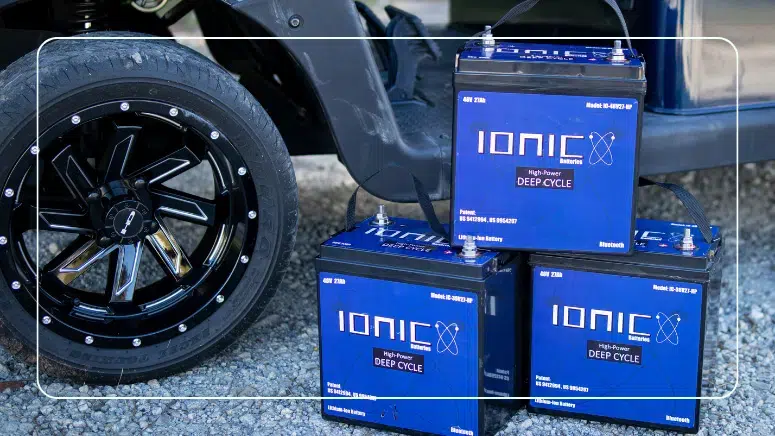
When testing confirms the pack is done, a set of Ionic lithium batteries drops in with less weight and steadier power.
When Is It Time to Replace a Golf Cart Battery?
One low reading doesn’t always mean a battery needs to be replaced. Fully charge the battery, check the cables and connections, and test it again before making a decision. Voltage readings alone may not confirm that a battery has failed.
Repeated deep discharges can shorten battery life and push a battery closer to replacement.
A battery may need service or replacement if it repeatedly reads lower than the others in the pack, drops sharply under load, won’t hold a charge, has a weak or damaged cell, or shows visible swelling, leaking, or heat damage. Stop using a battery that appears physically damaged and have it inspected.
For lithium batteries, recurring alerts, reduced usable capacity, or a major loss of range can also signal a problem. Check any available app or battery monitor and contact the manufacturer or technical support if the issue continues.
In an older lead-acid pack, replacing one weak battery with a new one can create a mismatch because the batteries are at different stages of their service life. Consider the age and condition of the entire pack before deciding whether to replace one battery or all of them.
Before storing the cart, fully charge the batteries and follow the manufacturer’s storage instructions. Don’t leave lead-acid batteries sitting in a discharged state for an extended period, and avoid deep discharges to help keep them in peak condition.
Ready for a Better Golf Cart Battery?
Testing may uncover a loose connection or charging problem, but sometimes it confirms that an older battery pack has simply reached the end of the road. If your cart keeps losing range, slowing down on hills, or needing more maintenance, replacing the batteries can help you get back to enjoying the ride.
Whether you use your cart on the course, around the neighborhood, or at the campground, Ionic lithium golf cart batteries give you:
- Steadier power on hills and throughout your ride
- Less battery weight for your cart to carry
- Longer battery life than traditional lead-acid batteries
- No watering, acid checks, or hydrometer testing
- Bluetooth monitoring from your phone through the Ionic app
- An 11-year warranty for long-term peace of mind
Through the Ionic app, you can check your charge level, voltage, temperature, cycle information, and battery activity before heading out.
Shop our Ionic lithium golf cart batteries to find the right voltage and capacity for your cart. Have questions or need help choosing? Just reach out to our team. We’ll help you spend less time checking water levels and troubleshooting old batteries and more time cruising the neighborhood, making your tee time, or taking the long way home.
Frequently Asked Questions
What Voltage Should a Fully Charged Golf Cart Battery Read?
Golf carts may use individual 6V, 8V, or 12V lead-acid batteries connected to create a 36V or 48V system. A fully charged 6V battery generally reads 6.3 to 6.4 volts, an 8V battery reads 8.4 to 8.5 volts, and a 12V battery reads 12.6 to 12.8 volts. Exact readings can vary, so check the manufacturer’s specifications.
How Can I Check for a Weak Battery at Home?
Fully charge the lead-acid batteries, let them rest as recommended, and compare the voltage of each one. A battery that repeatedly reads lower than the others may be weak. Also watch for shorter range, slower acceleration, or power loss on hills, and check for loose or corroded connections.
Can Lithium Batteries Be Tested Like Lead Acid Batteries?
Not completely. Both can be checked with a multimeter, but a voltage reading may not tell you everything about a lithium battery’s condition. Check any available app or battery monitor, and don’t use a hydrometer or traditional lead-acid load testing equipment on lithium batteries.
What’s the Difference Between Voltage and Capacity?
Voltage gives you a general idea of the battery’s charge level. Capacity tells you how much energy it can actually provide before recharging. A battery can show normal voltage but still have reduced range or struggle under demand.
How Often Should Golf Cart Batteries Be Checked?
Inspect the batteries and connections regularly and test them whenever you notice changes in range, charging time, acceleration, or hill performance. You should also check them before and after seasonal storage.
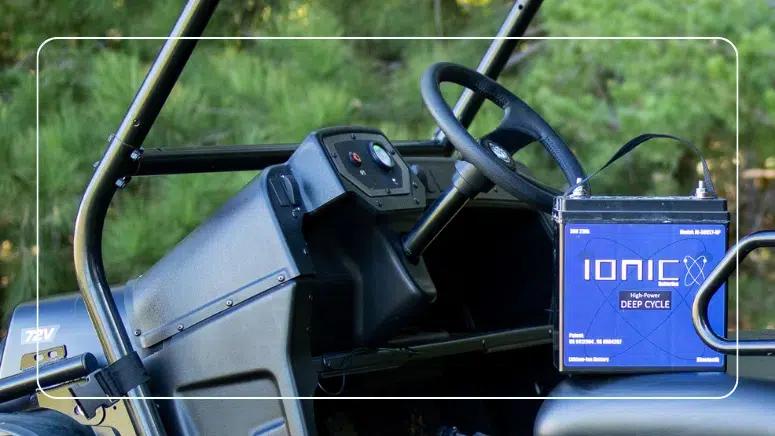
Ready to Upgrade Your Golf Cart Batteries?
Steadier power on hills, less weight to carry, Bluetooth monitoring from your phone, and an 11-year warranty — with expert help from our USA-based team.